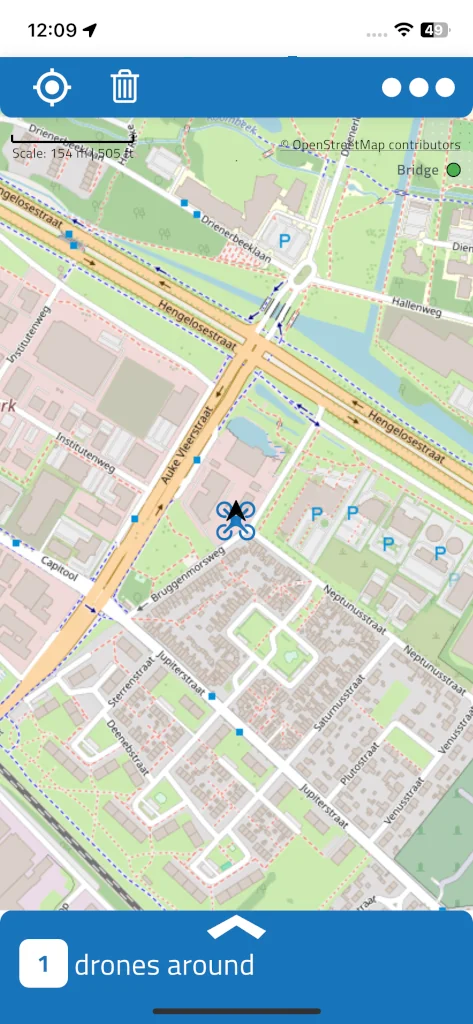
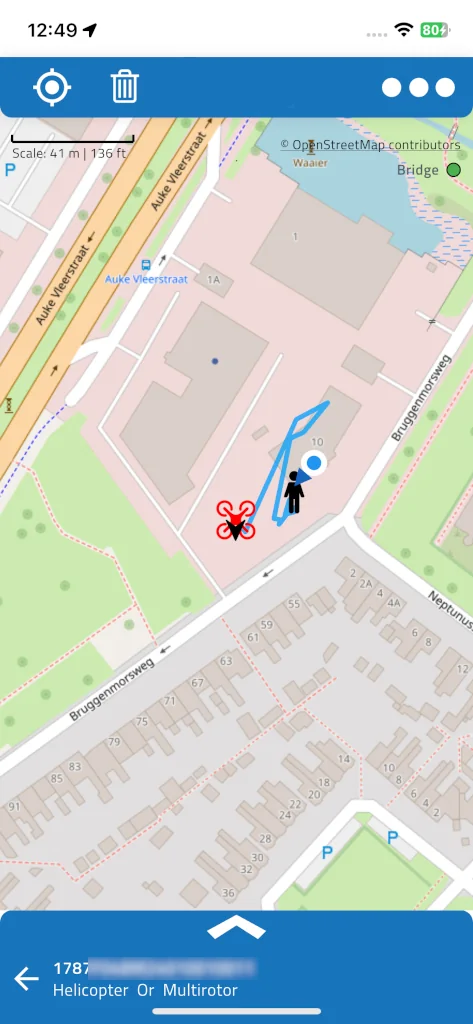
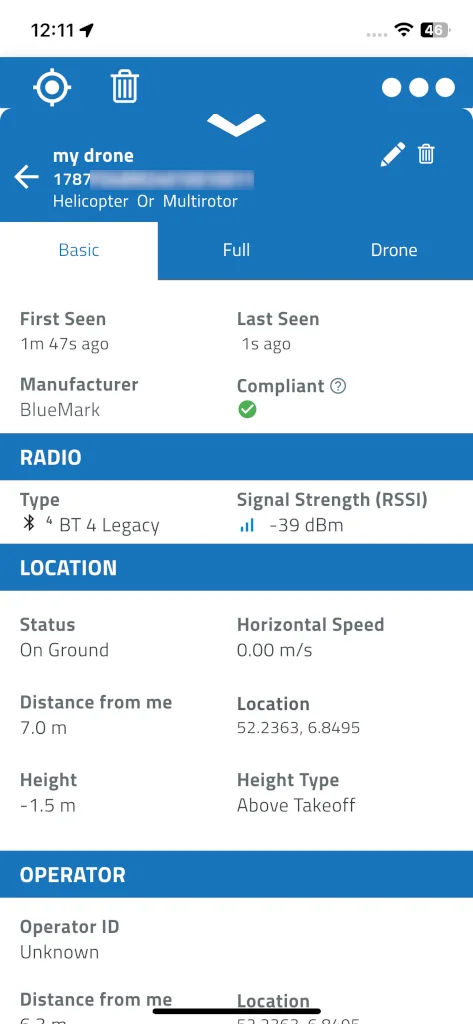
Turn your phone into a drone radar. DroneScout detects drones flying near you that broadcast Remote ID — also known as OpenDroneID or DRI — over Bluetooth and Wi-Fi, and shows them live on a map with position, altitude, speed, serial number and, when the drone broadcasts it, the pilot’s location. Optional Silver, Gold and Platinum subscriptions add flight history, notifications, drone labeling and grouping, and more. Some drones are invisible to an ordinary phone — our DroneScout Bridge detects more of them and extends range. Buy DroneScout ds110.
Installation


RemoteID/DRI
Remote ID is a wireless number plate for drones and contains basic information like serial number, operator, purpose and current position. In the United States (FAA) it’s mandatory for most drones over 250 grams. In the EU (EASA) and UK (CAA) the trigger is the drone’s class label rather than a flat weight — EU C1 or higher, UK UK1 or higher — so some drones under 250 grams broadcast it too. Japan’s threshold is lower still, 100 grams, with comparable rules in Singapore and China. The Remote ID information can be used by general public, law enforcement and other drones to give better situational awareness of the airspace around them. DroneScout implements the open OpenDroneID standards ASTM F3411 and ASD-STAN EN 4709-002, and also receives China’s own national standard, GB 46750-2025 — support almost no other receiver app has.
DroneScout pro app
DroneScout pro is an app for both Android and iOS. It is free, but contains premium subscription models: silver, gold and platinum, that unlock additional functionality. Use your phone as drone radar to detect drones with RemoteID/DRI technology (Bluetooth/WLAN) and show them on a map. Also, you can view drone details and save the flight path to a GPX file. The app is available for Android, iOS and iPad devices.
Multi-language
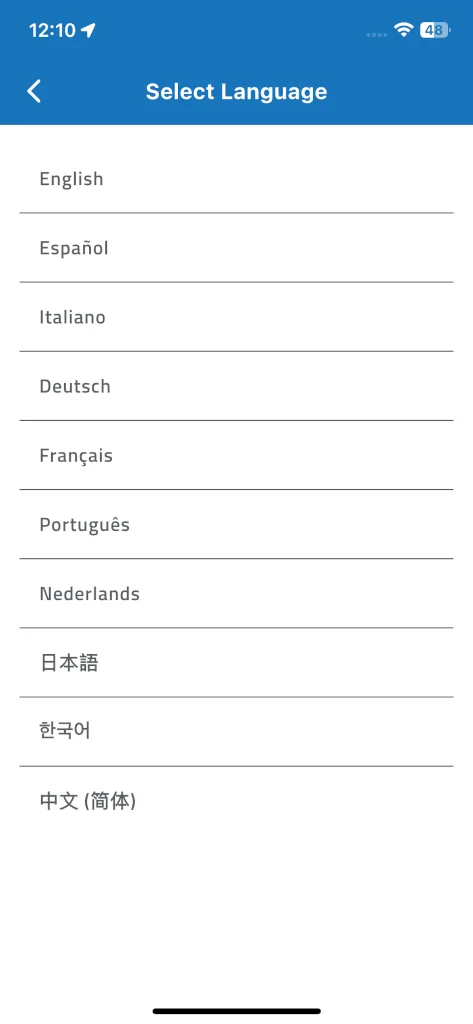
DroneScout pro is available in over 30 languages, including English, Español, Français, Deutsch, Italiano, Nederlands, Português, Polski, Türkçe, العربية, 日本語, 한국어 and 中文. Pick your language from the app’s own settings. If you see a translation error, don’t hesitate to contact us.
Privacy
The app has been developed in the European Union. Privacy is for us important. We don’t upload or store any user information on our back-end/servers. All information is stored locally on your phone. During app installation an unique random device ID will be created. This is shown in the premium section. This deviceID is uploaded and checked with our back-end/server to check if your app has a premium subscription. Our privacy policy can be found here.
Premium features
DroneScout pro app is free, but also includes optional premium subscriptions that unlock additional features:
Free
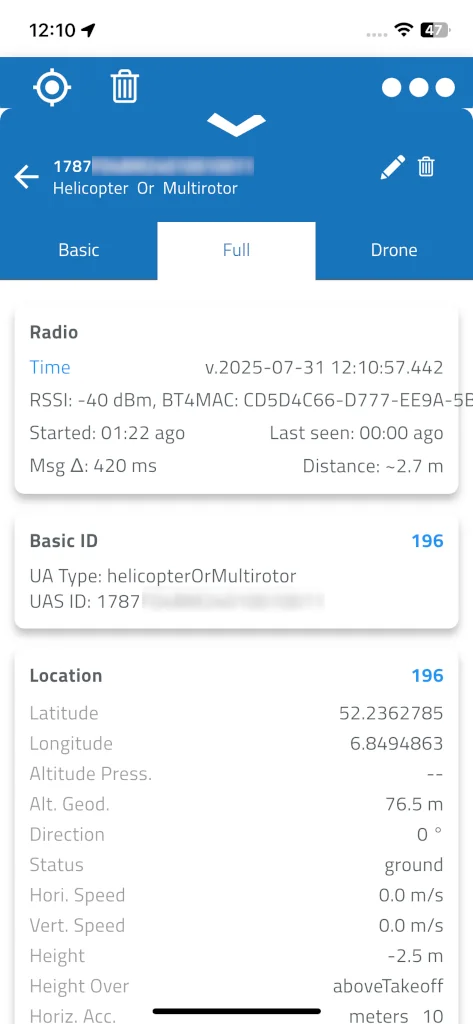
Live detection and tracking of nearby Remote ID / OpenDroneID drones, shown on a live map with position, altitude, speed and direction. View serial number, operator ID and UAS type, get brand identification, and export flight tracks to GPX or raw messages to CSV.
Silver
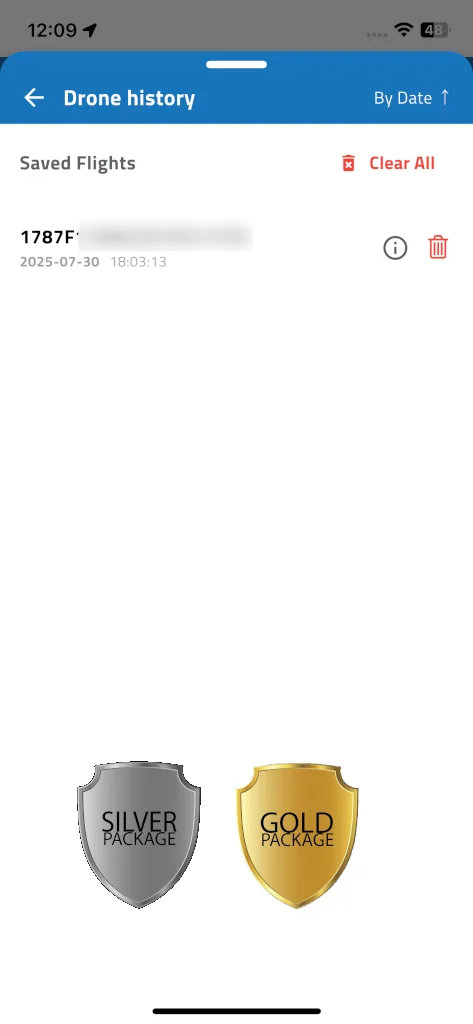
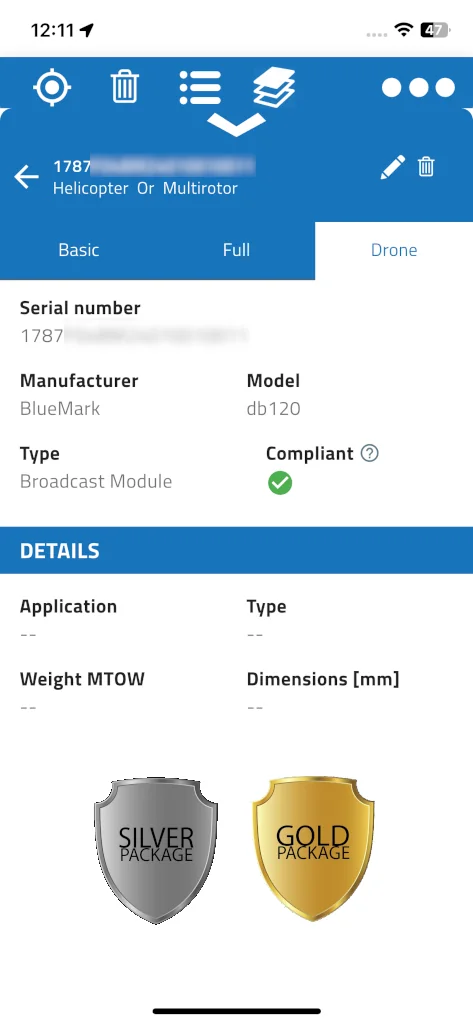
Everything in Free, plus a push notification the moment a new drone is detected, searchable flight history stored on your phone, model identification for over 300 brands and 400+ drone models, a detailed drone info tab, and no banner.
Gold
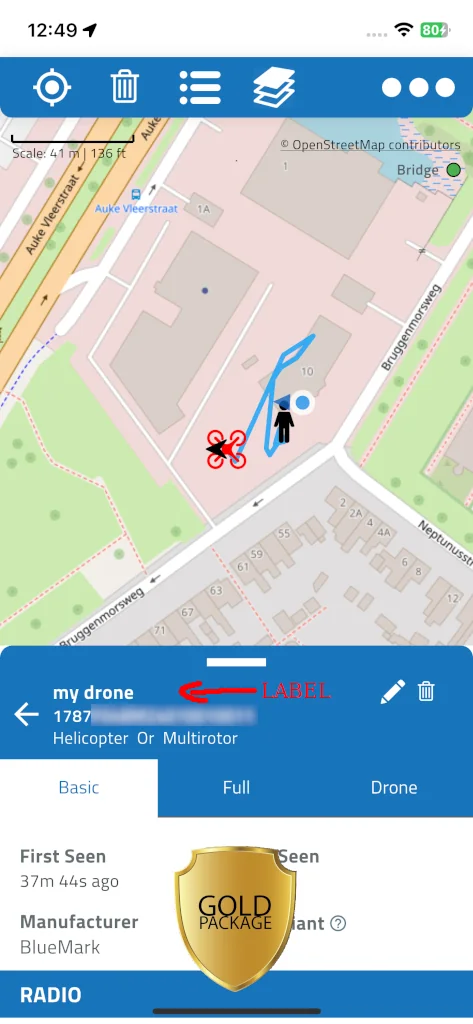
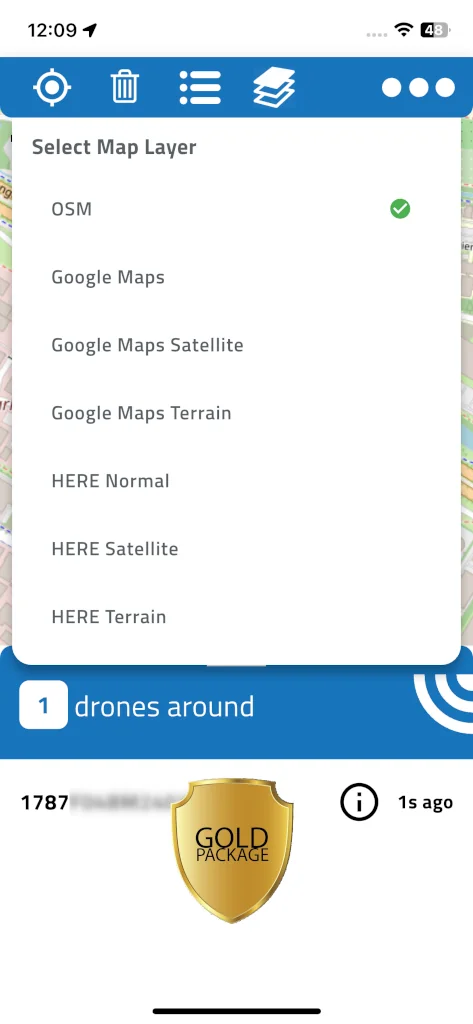
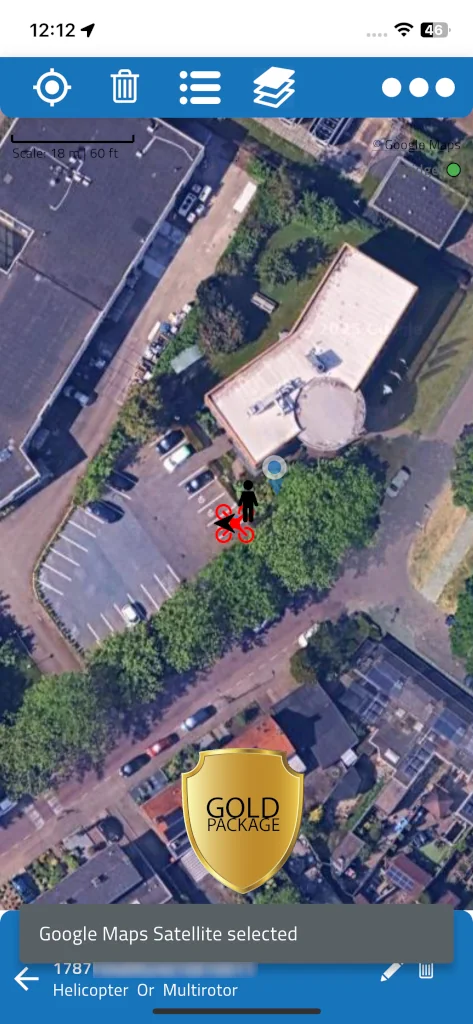
Everything in Silver, plus extra map providers and layers (normal, satellite, terrain), offline maps for areas with no mobile coverage, your own drone labels and groups, and notes per drone.
Platinum
Everything in Gold, plus pushing detections to your own server, to CalTopo, or to our Drone Radar network, and ADS-B to see nearby manned aircraft alongside drones.
Detect more drones with Bridge
Remote ID was designed on the assumption that an ordinary smartphone could receive it. Reality is messier. Many drones broadcast over Bluetooth Long Range S8, and S8 reception on Android is unreliable — it’s an optional Bluetooth 5 feature, so some phones have no radio for it at all, and just as often, phones that do advertise support fail to receive it correctly. Android also throttles Wi-Fi Beacon scanning unless you switch off Wi-Fi scan throttling in Developer Options. On Apple hardware the ceiling is lower still: no iPhone or iPad, on any model, can receive Bluetooth Long Range S8, and iOS doesn’t let any app scan Wi-Fi Beacon frames at all — a platform restriction, not an app limitation. Our affordable optional DroneScout Bridge device solves this by receiving those signals and converting them to a wireless signal that smartphones understand, a wireless bridge — on 5 GHz too on the higher Bridge models, picking up drones that broadcast Remote ID only on 5 GHz Wi-Fi, such as Skydio. Also, Bridge will extend the detection range up to 2 km, from €69.
Audience
The DroneScout pro app (Android/iOS) can be used by several kinds of user groups.
drone professionals
For drone professionals that fly regularly with drone, detecting the presence of nearby drones is crucial for safe operation.
Security & law enforcement
With the popularity of drones, it is crucial to monitor festivals, venues and sites for drone activity, track drones that fly illegally, and see where the pilot is located. Label drones that fly under suspicious circumstances.
Pilots
Pilots in smaller aircraft want to know what is happening nearby. Detect nearby aircraft, but also detect nearby drones to avoid dangerous situations.
Drone industry & developers
Manufacturers, integrators and DIY builders use DroneScout to verify their own drone’s Remote ID broadcasts — including support for China’s GB 46750-2025 standard, which almost no other receiver app implements.
Installation
Feature comparison
| Feature | Free | Silver | Gold | Platinum |
|---|---|---|---|---|
| Banner (top screen) | ● | |||
| Standard and imperial units (switch) | ● | ● | ● | ● |
| Bridge device support | ● | ● | ● | ● |
| Live tracking | ● | ● | ● | ● |
| Export flight track to GPX | ● | ● | ● | ● |
| Export raw messages to CSV | ● | ● | ● | ● |
| Brand identification (300+ brands) | ● | ● | ● | ● |
| Model identification (400+ models) | ● | ● | ● | |
| Drone flight history | ● | ● | ● | |
| New drone notification | ● | ● | ● | |
| Additional drone information (application, etc.) | ● | ● | ● | |
| Label drones (friendly names) | ● | ● | ||
| Assign drones to groups | ● | ● | ||
| Add/edit notes to a drone | ● | ● | ||
| Multiple map layers and providers (OSM, Google, HERE, Naver) | ● | ● | ||
| Offline maps (for areas with no coverage) | ● | ● | ||
| Upload to your own server | ● | |||
| Upload to CalTopo | ● | |||
| Upload to Drone Radar cloud | ● | |||
| ADS-B: nearby manned aircraft (local ADS-B receiver with GDL90 or our network service) | ● |
Frequently asked questions
Is Remote ID mandatory for my drone?
In most cases, yes, if you fly in the US, EU, UK, Japan or China — see “RemoteID/DRI” above for the exact thresholds in each region. DroneScout doesn’t require your own drone to broadcast Remote ID; it detects other drones’ broadcasts around you.
Does DroneScout work without an internet connection?
Detection itself needs no internet — it’s direct Bluetooth/Wi-Fi reception from nearby drones. An internet connection is only needed for map tiles (Gold’s offline maps option covers that) and for premium subscription checks.
Why can't my iPhone detect all nearby drones?
iOS can’t receive Bluetooth Long Range S8 or scan Wi-Fi Beacon frames at all — a platform restriction, not a DroneScout limitation. DroneScout Bridge fixes this by listening on all four Remote ID transports and rebroadcasting as Bluetooth Legacy, which every iPhone and iPad receives normally.
Is my data uploaded anywhere?
No, not by default. Everything stays on your phone. Data only leaves your device if you explicitly turn on a Platinum push integration (your own server, CalTopo or Drone Radar).
What's the difference between DroneScout and DroneScout Bridge?
DroneScout is the free app — it works standalone on any phone. DroneScout Bridge is an optional hardware receiver that extends what your phone can see, picking up broadcast types your phone’s own radio can’t reliably receive (or, on iOS, can’t receive at all).
How much does DroneScout cost?
The app is free to download and use. Silver, Gold and Platinum subscriptions unlock notifications, flight history, drone labeling/grouping, offline maps, brand/model ID and platform integrations — see “Premium features” above for the full breakdown.
Upload data to other platforms
With a platinum subscription, the app can push live drone detections to other platforms:
CALTOPO
Select the CALTOPO profile in the Push to External Server section (in Preferences). Enter your CONNECT key and received data is uploaded to CalTopo. Press Test Server to verify that your CONNECT key is correct.
Own server (docker)
It is possible to upload data to your own server. Select the OWN SERVER profile in the Push to External Server section (in Preferences) and enter the server details. The Docker setup source code has been published here: https://github.com/BluemarkInnovations/docker-dronescout-app-upload-example
Drone Radar
It is possible to upload data to our Drone Radar. Create an account at https://app.dronescout.co and add your device ID(s) with platinum subscription to your account. Data will be uploaded to the portal and the Drone Radar page will let you see live and historic drone detections (up to 7 days). You can also subscribe to the raw data stream using the webhook feature in the user settings.